Word counter vs AnyCount
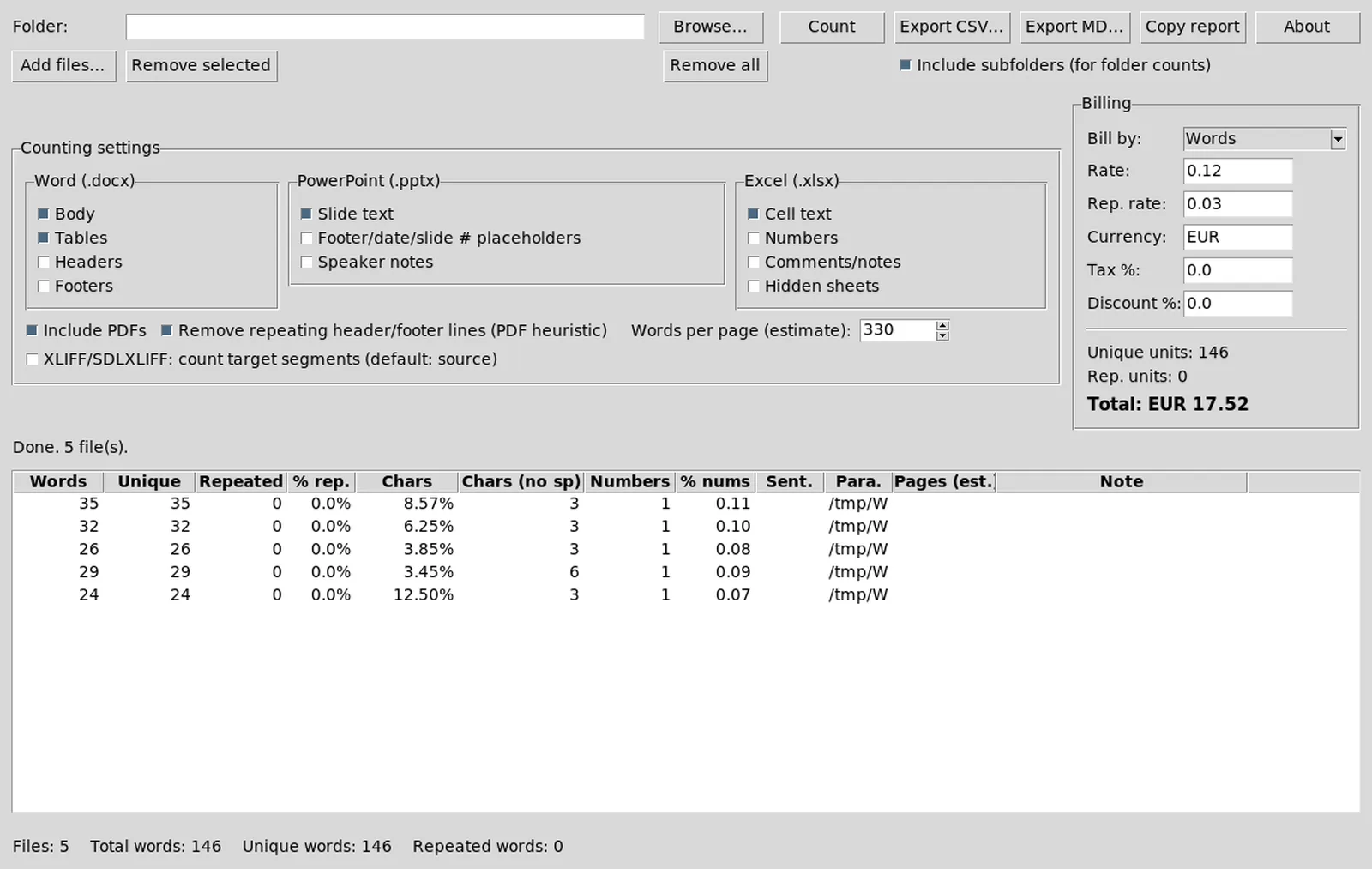
Choosing a word counter often comes down to AnyCount habits versus a free MIT desktop path. This page compares WordCounter with AnyCount for translators who need batch counts, exports, and an honest install door.
Quick verdict
Pick WordCounter when you want a free MIT word counter with a named Windows zip on GitHub Releases and local billing exports. Pick AnyCount when you already rely on that commercial vendor, need their support channel, or a client contract names that tool.
| Topic | WordCounter | AnyCount |
|---|---|---|
| Price | Free MIT | Commercial licence |
| Open source | Yes | No |
| Windows install | GitHub zip | Vendor installer |
| Package managers | None found | Vendor channels |
| Batch documents | Yes | Yes |
| Signup | No | Licence dependent |
Where WordCounter wins
Public MIT source, a transparent Releases door, and no account wall before the first batch. Agencies that want a portable zip on freelancer laptops can extract WordCounter without buying another seat for every machine.
Repetition-aware billing fields and CSV or Markdown exports cover many quote workflows. You still set rates yourself; the word counter does not invent client pricing.
Where AnyCount wins
Commercial support, established agency playbooks, and clients who already standardize on that brand. If your quality process assumes AnyCount reports, keep it until you prove WordCounter exports satisfy the same reviewers.
Vendor documentation and training materials may also be deeper for niche formats your team already depends on.
Install reality
WordCounter on Windows means WordCounter-*-win64.zip from GitHub Releases. No winget id was found on this review date. AnyCount installs through its vendor path. Do not mix mirrors for either tool.
Safe WordCounter downloads: download safely. Switch notes: switch from AnyCount.
Migration expectations
Project settings and saved commercial rates do not import into WordCounter. You re-add source documents and rebuild rates. That is normal when moving between word counter products.
Keep AnyCount installed during a trial month if you need side-by-side totals. Compare the same sample set in both tools before you change a client SOP.
Who should stay put
- Teams with active AnyCount seats tied to contracts
- Desks that cannot install unknown GitHub zips by policy
- Operators who only need single-document Word counts
Who should try WordCounter
- Freelancers who want a free offline word counter
- Labs that need a portable zip without seat math
- Teams comfortable verifying GitHub Releases assets
Desk notes that prevent drift
Write the GitHub Releases URL on the machine ticket beside the OS version and the zip filename you actually extracted. When a teammate later searches for word counter again, that note stops them from grabbing a random portal mirror. Agencies that skip the note usually rediscover adware download portal pages during a rush job.
Smoke tests after updates
Keep a tiny sample folder of non-confidential .docx and .pptx files for smoke tests after every update. Proving a word counter batch on known files is faster than debugging rates on a live client delivery. Store exports next to the sample set so you can compare CSV rows across versions.
If SmartScreen or another gate blocks the first launch, return to the official Releases URL instead of downloading a second copy from search ads. Duplicate folders are how desks end up quoting from the wrong build. Uninstall means deleting the extracted tree you no longer trust, then re-extracting once from the tag you pinned.
For macOS and Linux operators who still need counting, document that the current tag is source-only. A Python virtual environment with the README dependencies is honest. Pretending a missing dmg or AppImage exists is how install docs go stale and fail audits.
Finally, keep commercial tools available as a fallback when a client contract still names them. A local MIT word counter can sit beside AnyCount without forcing an overnight migration. Switch when the batch path and exports cover the jobs you actually bill.
Related: home, guide comparison, guides.
Sample files worth keeping
Keep three non-confidential Office documents that you already understand. After every update to this word counter, run Count on that set and archive the CSV beside it. The habit catches silent column changes before a client quote goes out.
- One short marketing letter
- One denser legal-style paragraph file
- One slide deck with repeated bullets
When totals move unexpectedly, compare against the previous CSV before you change rates. That sequence is faster than debating memory with a reviewer.