First hour with your word counter
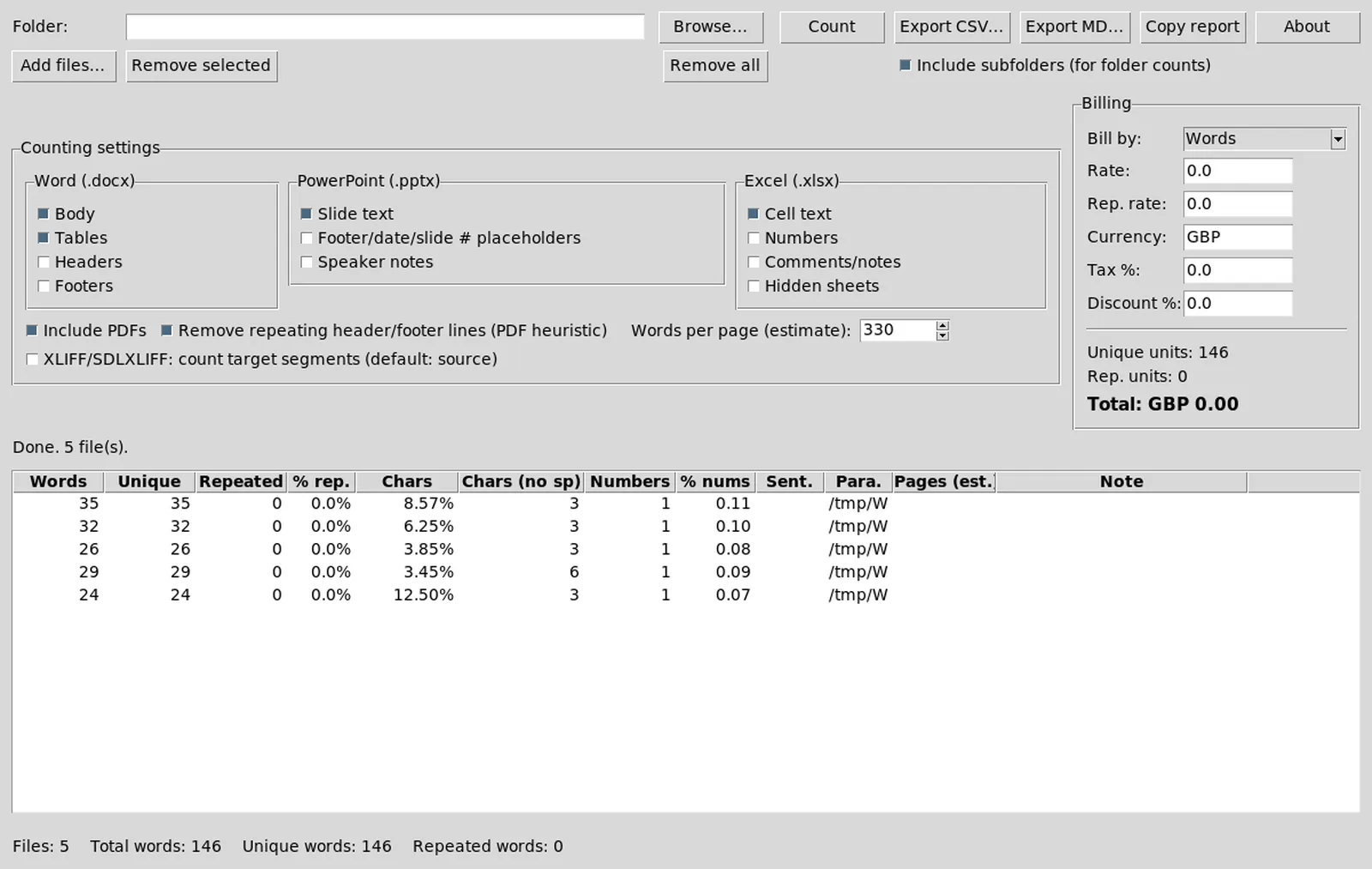
You extracted WordCounter-*-win64.zip and launched WordCounter.exe. This first hour proves the word counter batch path before you change billing fields used in client quotes.
1. Confirm the window
Check that Browse, Add files, and Count are visible. Open About if the build includes it and note the version on the machine ticket beside the tag you downloaded.
2. Add a tiny sample set
Use non-confidential .docx or .pptx files. Avoid live client deliveries for the smoke test. A three-file batch is enough to prove the table fills.
3. Run Count once
Wait until status shows completion and rows appear. Confirm words and characters look plausible for the samples you know.
4. Glance at repetition columns
If your build shows unique and repeated metrics, read them on the sample set before you trust repetition rates on paid work.
5. Set a practice rate
Enter a temporary unique rate and currency. Leave tax and discount at zero until the practice total makes sense.
6. Export CSV
Save a CSV beside the sample folder. Open it in your spreadsheet tool to confirm columns match what reviewers expect.
7. Optional Markdown or clipboard
Try one more export format if you email monospace reports. Do not change production templates until the practice export looks right.
8. Write the update door
Record the GitHub Releases URL and zip pattern. No winget id was found on this review date, so updates stay on Releases.
What can wait
Heavy Tika formats, OCR experiments, and aggressive tax presets can wait until the everyday Office batch is boringly reliable.
If something fails
- Re-extract the whole zip tree if the exe was moved alone
- Re-download from official Releases if the folder looks incomplete
- Compare against AnyCount on the same samples if totals shock you
Formats: formats. Billing: billing. Safety: safety.
Operational checklist for busy weeks
Before a rush delivery, confirm the word counter folder still launches, the sample batch still finishes, and exports still open in your spreadsheet tool. Rush weeks are when people grab the first search result and break a carefully pinned Releases habit.
After holidays or laptop swaps, re-read the machine ticket. If the zip path vanished, download again from GitHub Releases instead of restoring an unknown copy from a USB stick with no provenance. Provenance is part of counting quality when clients audit how numbers were produced.
Teach freelancers the difference between the product name WordCounter and the search phrase word counter. The phrase describes the job; the Releases asset is the install door. Mixing those ideas is how adware download portal pages win clicks.
First hour success means one proved word counter batch and one written update door. Everything else is optional polish.
Related: first run, home, guides.
Billing caution on day one
Do not send a client invoice from the first practice total. Use the first hour to learn which columns matter for your quote sheet. Rebuild rates from your rate card rather than guessing from a previous commercial tool.
If repetition math matters to a buyer, read the README notes on unique versus repeated segments and test a file pair that you know contains repeated sentences. A word counter that surprises you on day one should surprise you on samples, not on a rush delivery.
Folder hygiene
Keep the extracted application folder out of Downloads clutter. Move it to a tools directory you control, and keep sample documents in a sibling folder. Exports can live in a third folder named by month so audits stay simple.
Portable USB workflows are fine when the entire tree copies together. Partial copies are the usual reason Count fails after a laptop swap.
Teaching a teammate
Show them the Releases URL, the zip name, and the sample batch. Ask them to reproduce the CSV once. That short drill beats a long chat thread when someone later searches for word counter and finds a mirror.
Sample files worth keeping
Keep three non-confidential Office documents that you already understand. After every update to this word counter, run Count on that set and archive the CSV beside it. The habit catches silent column changes before a client quote goes out.
- One short marketing letter
- One denser legal-style paragraph file
- One slide deck with repeated bullets
When totals move unexpectedly, compare against the previous CSV before you change rates. That sequence is faster than debating memory with a reviewer.